Introduction
Gaming technology has advanced rapidly over the past few years, giving players more choices than ever before. One of the biggest debates in 2026 is whether to invest in a dedicated gaming PC or embrace the convenience of cloud gaming.
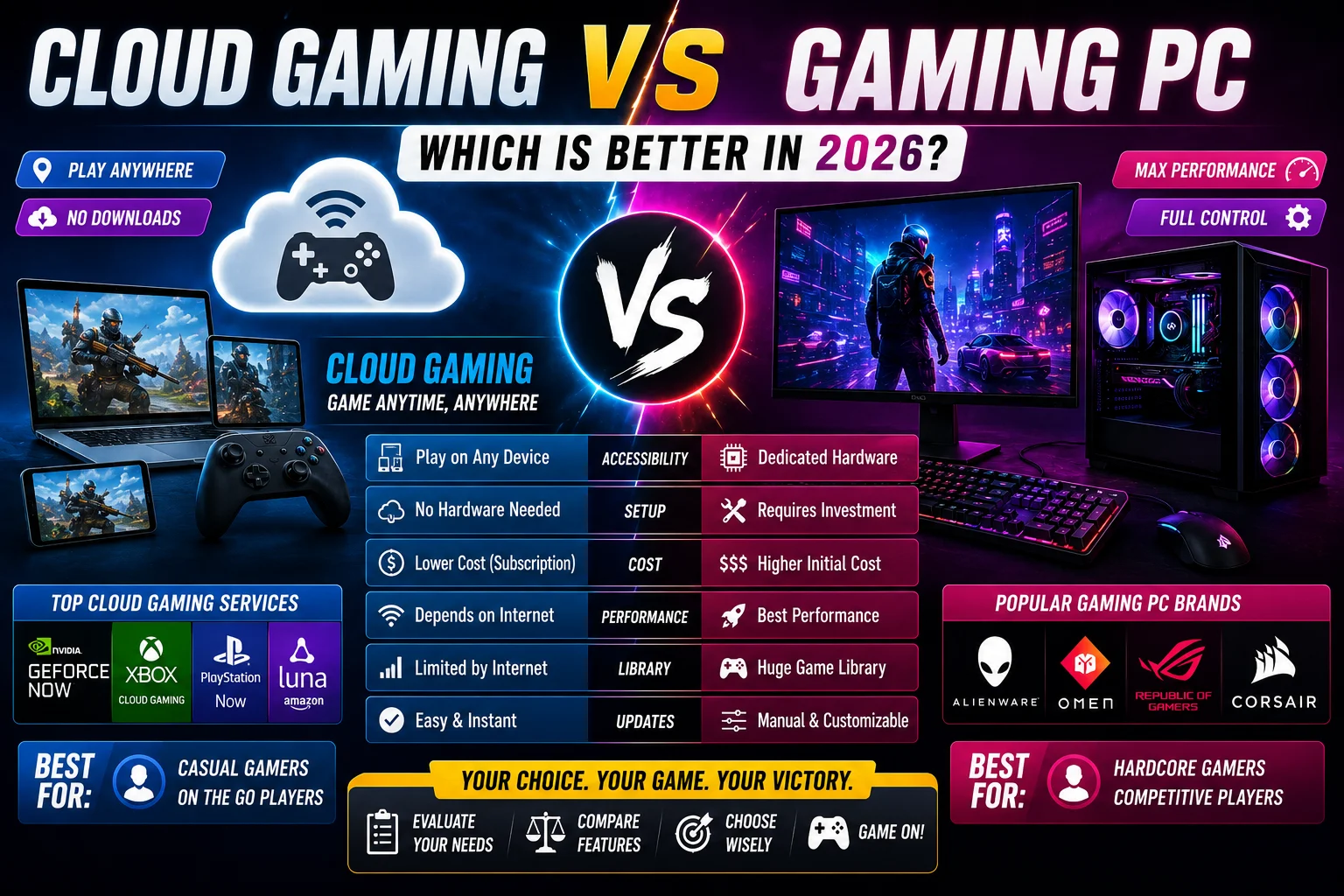
A gaming PC provides local processing power, customizable hardware, and high performance, while cloud gaming allows players to stream games over the internet without needing expensive components. Both options have advantages and limitations depending on budget, internet connectivity, and gaming preferences.
This guide compares cloud gaming and gaming PCs across key factors such as performance, cost, graphics, game libraries, portability, and long-term value.
What Is Cloud Gaming
Cloud gaming allows players to stream video games from powerful remote servers rather than running the games directly on their own device.
The game is processed in a data center, while video, audio, and player inputs are transmitted over the internet in real time.
Many cloud gaming services support:
-
Windows PCs
-
Laptops
-
Smartphones
-
Tablets
-
Smart TVs
-
Web browsers
Because the hardware is hosted remotely, users can often play demanding games on relatively modest devices.
What Is a Gaming PC
A gaming PC is a computer built or configured to run games locally using dedicated hardware.
Typical gaming PCs include:
-
Multi-core processor (CPU)
-
Dedicated graphics card (GPU)
-
High-speed RAM
-
Solid-state drive (SSD)
-
Efficient cooling system
Since all processing occurs on the user’s machine, performance depends primarily on the computer’s specifications.
Performance Comparison
Cloud Gaming
Performance depends largely on:
-
Internet speed
-
Network stability
-
Server distance
-
Service quality
When conditions are good, cloud gaming can provide smooth gameplay. However, interruptions in connectivity may affect the experience.
Gaming PC
A gaming PC delivers performance based on its hardware capabilities.
Advantages include:
-
Consistent frame rates
-
Low input latency
-
Offline play for supported games
-
Greater graphics customization
For competitive gaming, local hardware generally offers the most predictable performance.
Graphics Quality
Cloud Gaming
Modern cloud platforms can stream games at high resolutions and frame rates, though image quality may vary depending on connection speed and bandwidth.
Gaming PC
Gaming PCs allow users to adjust graphics settings according to their hardware.
High-end systems can support features such as:
-
Ray tracing
-
High refresh rates
-
Ultra graphics settings
-
Wide-resolution displays
Hardware Requirements
Cloud Gaming
Minimal hardware is required.
Many services work on:
-
Budget laptops
-
Tablets
-
Smartphones
-
Entry-level PCs
Gaming PC
Higher performance requires more powerful hardware, including:
-
Modern CPU
-
Dedicated GPU
-
Additional storage
-
Increased memory
Hardware upgrades may also be necessary over time.
Cost Comparison
Cloud Gaming
Costs may include:
-
Subscription fees
-
Internet service
-
Compatible controller (optional)
There is typically no need for expensive gaming hardware.
Gaming PC
Expenses may include:
-
Computer hardware
-
Monitor
-
Keyboard and mouse
-
Operating system
-
Future hardware upgrades
The initial investment is usually higher but provides full local ownership of the hardware.
Internet Dependency
Cloud gaming requires a reliable internet connection because every game session is streamed.
Gaming PCs can run many titles without a continuous internet connection once installed, although some online games still require connectivity.
Portability
Cloud gaming is highly portable.
Players can continue gaming across multiple supported devices using the same account.
Gaming PCs vary in portability:
-
Desktop systems are designed for stationary use.
-
Gaming laptops offer mobility but are generally heavier and more expensive than standard laptops.
Game Libraries
Both cloud gaming services and gaming PCs provide access to extensive game catalogs.
However, availability may differ depending on:
-
Licensing agreements
-
Regional availability
-
Platform compatibility
-
Publisher support
Before subscribing to a cloud service, users should verify whether the games they want to play are available.
Competitive Gaming
For esports and fast-paced multiplayer games, low input latency is especially important.
Gaming PCs generally provide:
-
Greater hardware control
-
Lower latency
-
Higher refresh rate support
-
Wider peripheral compatibility
Cloud gaming continues to improve, but network conditions remain a key factor.
Ease of Use
Cloud gaming emphasizes simplicity.
Users typically do not need to:
-
Install large game files
-
Upgrade graphics hardware
-
Manage driver updates
-
Configure advanced graphics settings
Gaming PCs provide greater flexibility but may require more technical knowledge for upgrades, maintenance, and optimization.
Security and Maintenance
Cloud gaming providers manage server maintenance and updates.
Gaming PC users are responsible for:
-
Operating system updates
-
Driver updates
-
Hardware maintenance
-
Security software
-
Storage management
Regular maintenance helps ensure stable performance.
Future of Gaming
Industry trends indicate continued growth in both cloud gaming and PC gaming.
Expected developments include:
-
Faster internet infrastructure
-
Improved cloud streaming quality
-
More AI-assisted graphics technologies
-
Better cross-platform integration
-
Increased support for high-resolution displays
-
Expanded accessibility features
Rather than replacing one another, cloud gaming and gaming PCs are likely to coexist, serving different player needs.
Which Option Is Right for You
Cloud gaming may suit players who:
-
Prefer convenience
-
Own lightweight devices
-
Want lower upfront costs
-
Have fast, stable internet
A gaming PC may be better for players who:
-
Value maximum performance
-
Enjoy hardware customization
-
Play competitive games
-
Want full control over graphics settings
The best choice depends on individual preferences, budget, and internet availability.
Cloud gaming and gaming PCs each offer unique advantages. Cloud gaming makes modern titles accessible without expensive hardware, while gaming PCs provide unmatched performance, flexibility, and customization. As technology continues to evolve, players can choose the option that best matches their gaming habits and technical requirements.
Frequently Asked Questions
1. What is the biggest difference between cloud gaming and a gaming PC?
Cloud gaming streams games from remote servers, while a gaming PC runs games locally using dedicated hardware.
2. Does cloud gaming require a fast internet connection?
Yes. A stable, high-speed internet connection is important for smooth streaming and responsive gameplay.
3. Can cloud gaming replace a gaming PC?
For some players it may meet their needs, but those seeking maximum performance and hardware control may still prefer a gaming PC.
4. Which option is more affordable?
Cloud gaming generally has lower upfront costs, while gaming PCs require a larger initial investment but offer long-term hardware ownership.
5. Which is better for competitive gaming?
Many competitive players prefer gaming PCs because they typically offer lower latency and greater control over hardware and settings.
6. Can I play on multiple devices with cloud gaming?
Many cloud gaming services support multiple compatible devices, allowing users to switch between them.
7. What is the future of cloud gaming?
Improvements in internet infrastructure, AI optimization, and streaming technology are expected to continue enhancing cloud gaming experiences.
Final Tech
-
Category: Gaming Technology
-
Article Type: Comparison Guide
-
Target Audience: Gamers, Students, PC Builders, Technology Enthusiasts
-
Reading Time: 10–12 Minutes
-
Content Quality: Human-Written Educational Content
-
SEO Focus: Cloud Gaming, Gaming PC, Gaming Technology, PC Gaming
-
Last Updated: August 2026
-
Purpose: Educational and Informational